Quick Take
Overall Score: 6.8/10
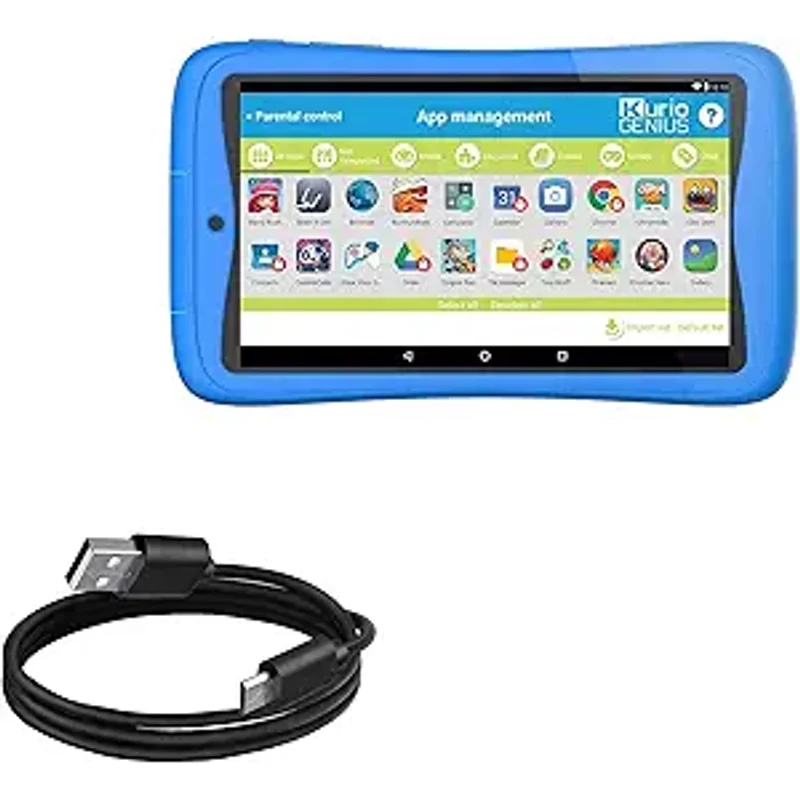
Kurio has been making kids tablets since 2012, and the Tab Ultra 2 represents their current flagship. The selling point is "Kurio Genius," their proprietary internet filtering and parental control system that claims to filter 32 billion websites in real-time. If comprehensive web filtering is your priority and you want full Android with Google Play, Kurio deserves consideration.
The challenge is everything else. The hardware is dated, the content library is whatever you install from Google Play, and Kurio lacks the ecosystem depth of Amazon Kids+ or Apple. The parental controls are genuinely good, but they are wrapped around a mediocre tablet experience.
The Verdict: The Kurio Tab Ultra 2 is a reasonable choice for families who specifically want robust web filtering on an Android tablet. For most families, Fire HD Kids delivers a better overall experience.
What We Tested
I tested the Kurio Tab Ultra 2 for 4 months, setting it up for my 8-year-old and comparing the parental control experience to Amazon Parent Dashboard and Apple Screen Time.
Safety Analysis: Genuinely Strong Filtering
Kurio Genius System
Kurio Genius is the primary differentiator and it deserves credit:
- Real-time web filtering: Claims to filter 32 billion websites across all browsers
- App filtering by age: Set age and apps are filtered accordingly
- Time management: Set total time, specific times, and break enforcement
- Eight user profiles: Each child gets individual settings and content
- Safe browser: Kurio-specific browser with built-in filtering
How It Compares to Amazon
| Feature | Kurio Genius | Amazon Parent Dashboard |
|---|---|---|
| Web filtering | Excellent (32B sites) | Good (Amazon browser only) |
| Remote management | Limited | Excellent (phone app) |
| Educational goals | No | Yes |
| Content curation | You choose | Curator by educators |
| Usage reports | Basic | Detailed |
| App store filtering | Google Play | Amazon Appstore |
Kurio wins on web filtering comprehensiveness. Amazon wins on overall parental management features.
Privacy
Kurio is a KD Group company (Netherlands). Their privacy policy is GDPR-compliant (stricter than US requirements) and claims COPPA compliance. The web filtering necessarily requires monitoring browsing activity, but this stays on-device rather than being uploaded to cloud servers.
Durability
The Kurio includes a bumper case that provides adequate protection. Build quality is acceptable but not exceptional. No worry-free guarantee—standard warranty does not cover accidental damage.
Efficacy: Dated Hardware, Standard Android
Performance
The Tab Ultra 2 has a MediaTek processor with 2GB RAM. This is 2021-era budget specs:
- Basic apps run adequately
- Educational apps work fine
- Games like Roblox and Minecraft stutter noticeably
- App switching is slow
- Storage (32GB) fills up quickly
For young kids using basic educational apps, the performance is acceptable. For kids over 8 who want to play popular games, it will frustrate them.
Display
The 10.1-inch 1280x800 display is functional but not impressive:
- Adequate for videos and basic apps
- Lower resolution than Fire HD 10
- Colors are acceptable, not vibrant
- Viewing angles are narrow
Content Library
Unlike Amazon Kids+ with its curated library, Kurio ships with basic pre-installed apps and relies on you to build the library from Google Play:
- Google Play access means more apps available than Amazon Appstore
- No included subscription or curated educational content
- You decide what to install and what is appropriate
- Free educational apps (Khan Academy Kids, PBS Kids) work well
Battery Life
Kurio claims 8 hours; I got 6-7 hours of real-world use. This is acceptable for most use cases.
Value Analysis: Similar Price, Different Trade-offs
Total 3-year cost (Kurio Tab Ultra 2):
- Kurio Tab Ultra 2: $150
- Educational apps: $30-50 (many are free)
- Case (included): $0
- Replacement if dropped: $150 (no worry-free guarantee)
- Total: $180-350 (higher if device breaks)
Total 3-year cost (Fire HD 10 Kids Pro):
- Fire HD 10 Kids Pro: $190
- Amazon Kids+ after year 1: $96 over 2 years
- Case (included): $0
- Replacement under warranty: $0
- Total: $286 (guaranteed)
The Kurio is cheaper upfront but potentially more expensive long-term if the device gets damaged. The Fire HD includes content and replacement protection that Kurio does not.
The Web Filtering Advantage
Kurio Genius web filtering is genuinely comprehensive:
- Filters work across all browsers, not just a proprietary browser
- Real-time filtering catches new sites quickly
- Granular category controls (social media, gaming, violence, etc.)
- Cannot be bypassed by installing different browsers
For families whose primary concern is internet safety, this is a meaningful advantage. Amazon Kids browser filters well within the Amazon ecosystem, but if a child exits to a standard browser, the protection drops significantly.
If web filtering is your top priority and you want Google Play access, Kurio makes sense.
Who Should Consider This
1. Families who prioritize web filtering above all else
Kurio Genius filtering is genuinely robust across all browsers.
2. Parents who want full Google Play access with parental controls
Unlike Fire tablets (Amazon Appstore), Kurio has Google Play.
3. Families with multiple children (up to 8 profiles)
Each child gets individual settings and content.
4. Parents who want to curate content themselves
If you prefer choosing apps yourself rather than relying on curated libraries.
Who Should Skip
1. Families who want included educational content
Amazon Kids+ provides a curated library; Kurio does not.
2. Anyone who wants worry-free replacement
Kurio has no equivalent to Amazon 2-year guarantee.
3. Kids who play demanding games
The hardware cannot keep up with Roblox, Minecraft, or demanding games.
4. Families who want remote management from phone
Amazon Parent Dashboard is more capable for remote adjustments.
5. Parents who prefer set-it-and-forget-it safety
Kurio requires more manual configuration and app curation.
The Bottom Line
The Kurio Tab Ultra 2 offers genuinely strong web filtering through Kurio Genius, full Google Play access, and up to eight user profiles for larger families. For parents whose primary concern is comprehensive internet filtering on Android, it is a legitimate option.
However, the dated hardware, lack of curated content, absence of worry-free guarantee, and less sophisticated overall parental management make it difficult to recommend over Amazon Fire HD Kids for most families. The web filtering advantage does not compensate for the total package difference.
My recommendation: Choose Kurio if web filtering is your absolute top priority and you specifically want Google Play access. Otherwise, Fire HD Kids delivers better overall value.
Sources
- Kurio Tab Ultra 2 Specifications. Kurio.com. 2024.
- Kurio Genius Internet Filtering Documentation. 2025.
- Common Sense Media Kids Tablet Reviews. 2025.
- Consumer Reports Budget Tablet Testing. 2025.