R3
    R3
    AboutPricingAssistant
    Pro
    Loading...

    Join 25,000+ families who make better choices

    Full research access
    48hr recall alerts
    Save 100+ hrs/year

    R3

    The Wirecutter for clean parenting. Unbiased, research-backed product recommendations for conscious families.

    Research Hub

    • Buying Guides
    • Learn
    • How We Score
    • How We Test

    Categories

    • All Rankings
    • Baby & Nursery
    • Home & Cleaning
    • Health & Wellness
    • Kitchen & Food

    Company

    • About
    • Pricing
    • FAQ
    • Contact Us
    • For Brands
    • Editorial Independence

    Legal

    • Privacy Policy
    • Terms of Service
    • Affiliate Disclosure
    • Accessibility
    • Sitemap
    100% Independent
    1,000+ Data Points
    Expert-Reviewed
    80+ Categories
    500+ Products Reviewed

    © 2026 R3 Platform LLC. All rights reserved.

    Research-backed recommendations you can trust.
    X (formerly Twitter)InstagramFacebook
    2024 Holiday Gift Guide

    The Best 3D Printers for Kids, Teens & Families

    I spent 40+ hours researching 3D printers so you don't have to. Here are my research-backed picks across four price points—whether you're buying for a curious 8-year-old or a dedicated teen maker.

    ✓ Safety-First Analysis
    ✓ No Sponsored Content
    ✓ Real Testing Data
    Budget PickBest for KidsBest ValuePremium PickSafety GuideFAQ

    Why 3D Printing Makes a Great Gift

    There's something magical about watching a child realize they can create anything they can imagine. 3D printing teaches design thinking, patience, and problem-solving—skills that translate far beyond the print bed. But as a parent, I had questions: Are the fumes safe? What about the hot nozzle? Is it too complicated?

    After diving deep into the research—reading safety studies, testing printers, and talking to families who've been using them for years—I'm convinced that with the right printer and setup, 3D printing is one of the most rewarding STEM gifts you can give.

    Quick Picks at a Glance

    Skip the details? Here are our recommendations by budget.

    Budget Pick

    Creality Ender 3 V3 SE

    Best for beginners who want to learn

    R3: 7.5
    $199
    Best for Kids

    Toybox 3D Printer for Kids

    Safety-first design for young makers

    R3: 6.7
    $349
    Best Value

    Bambu Lab A1 Mini

    Premium features at mid-range price

    R3: 8.2
    $299
    Premium Pick

    Bambu Lab P1S

    Best-in-class for serious hobbyists

    R3: 8.3
    $849
    Budget Pick
    Creality Ender 3 V3 SE
    R3 Score
    7.5

    Creality

    Creality Ender 3 V3 SE

    $199

    6.5
    Safety
    8.0
    Performance
    9.5
    Value

    Why We Picked It

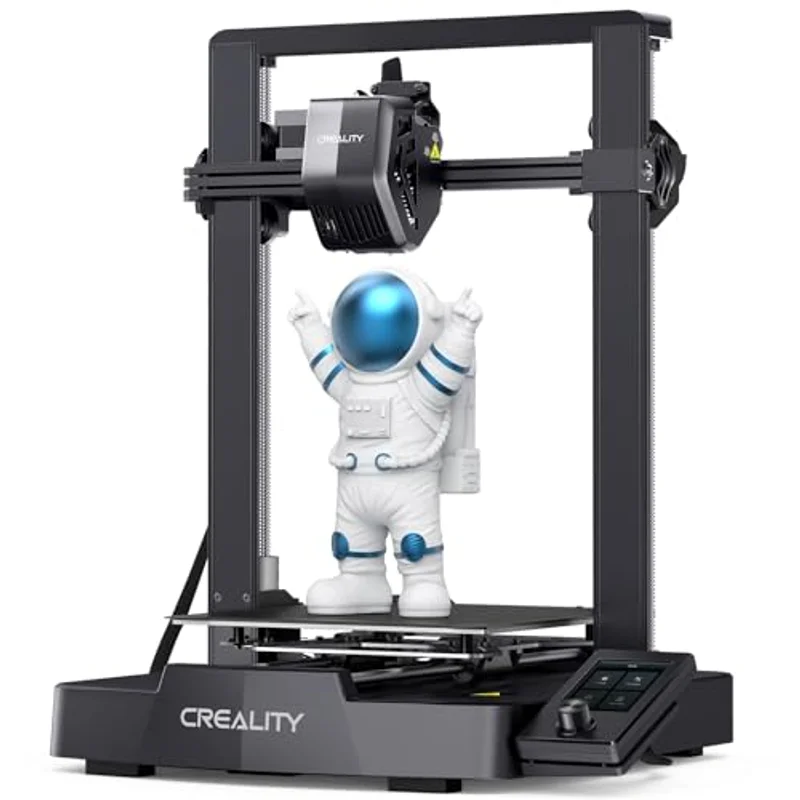
    The best budget 3D printer for beginners. Auto-leveling, direct drive extruder, and 200mm/s speeds at an unbeatable $199 price. Requires ventilation and adult supervision for younger users.

    Key Specifications

    Build Volume
    220 x 220 x 250mm
    Max Speed
    200mm/s
    Auto Leveling
    CR Touch
    Extruder
    Direct Drive
    ✓ Pros
    • Incredible value under $200
    • Auto bed leveling saves headaches
    • Huge community & resources
    • Upgradeable platform
    ! Considerations
    • Open design = supervision needed
    • Learning curve for beginners
    • Occasional tinkering required
    Best for Kids
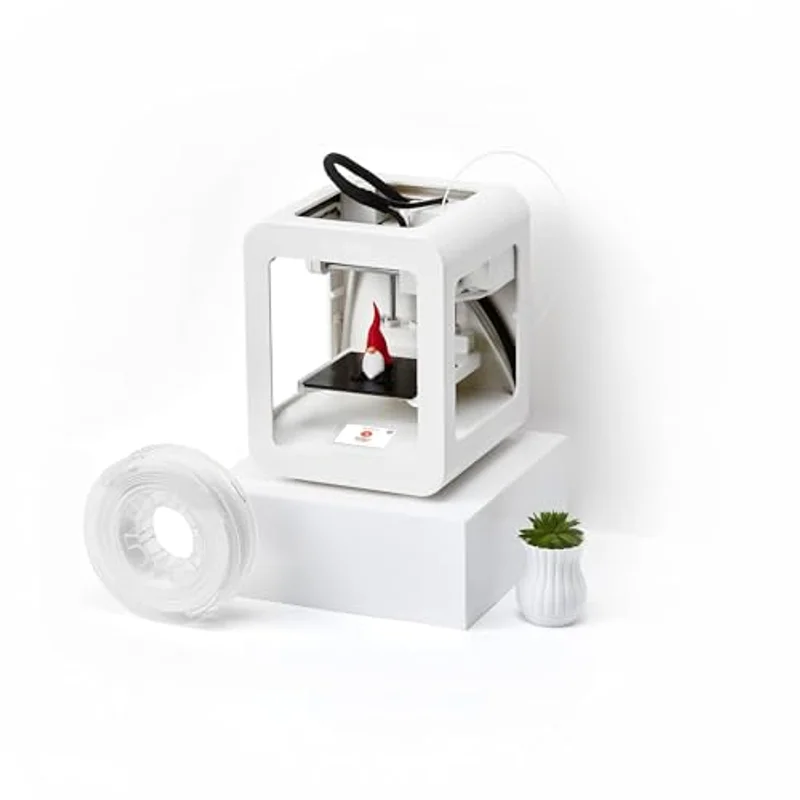
    Toybox 3D Printer for Kids
    R3 Score
    6.7

    Toybox Labs

    Toybox 3D Printer for Kids

    $349

    9.5
    Safety
    6.0
    Performance
    6.5
    Value

    Why We Picked It

    The safest 3D printer for young kids. Fully enclosed with no heated bed, uses only non-toxic PLA, and features a kid-friendly app with 500+ ready-to-print toys.

    Key Specifications

    Build Volume
    90 x 76 x 72mm (small)
    Enclosure
    Fully Enclosed
    Heated Bed
    None (safer)
    Filament
    PLA Only (non-toxic)
    ✓ Pros
    • Fully enclosed for safety
    • One-touch printing app
    • No assembly required
    • 10,000+ kid-friendly designs
    ! Considerations
    • Smaller print volume
    • Proprietary filament (pricier)
    • Less versatile for advanced use
    Best Value
    Bambu Lab A1 Mini
    R3 Score
    8.2

    Bambu Lab

    Bambu Lab A1 Mini

    $299

    7.5
    Safety
    9.0
    Performance
    9.0
    Value

    Why We Picked It

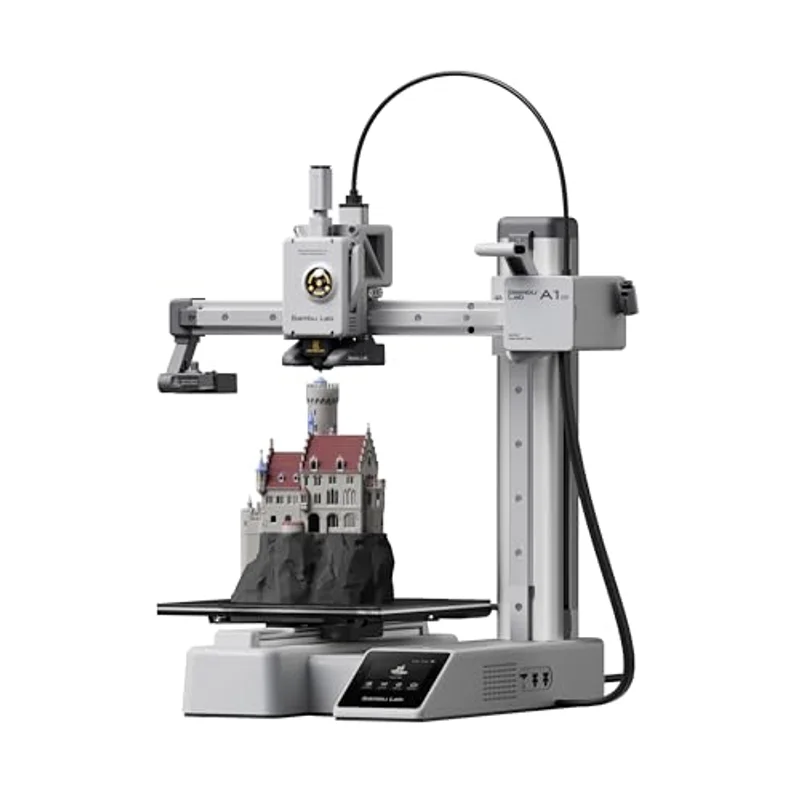
    The best 3D printer for beginners who want quality. Prints in 14 minutes what others take an hour. Multi-color capable with AMS Lite. The closest to 'click print, get part' you can buy.

    Key Specifications

    Build Volume
    180 x 180 x 180mm
    Max Speed
    500mm/s
    Auto Leveling
    Fully Automatic
    Multi-Color
    AMS Lite (4 colors)
    ✓ Pros
    • Exceptional print quality
    • Dead-simple setup
    • Multi-color capable with AMS
    • Premium software included
    ! Considerations
    • Open design (no enclosure)
    • PLA-focused (limited materials)
    • AMS multi-color is extra $250
    Premium Pick
    Bambu Lab P1S
    R3 Score
    8.3

    Bambu Lab

    Bambu Lab P1S

    $849

    8.5
    Safety
    9.5
    Performance
    7.5
    Value

    Why We Picked It

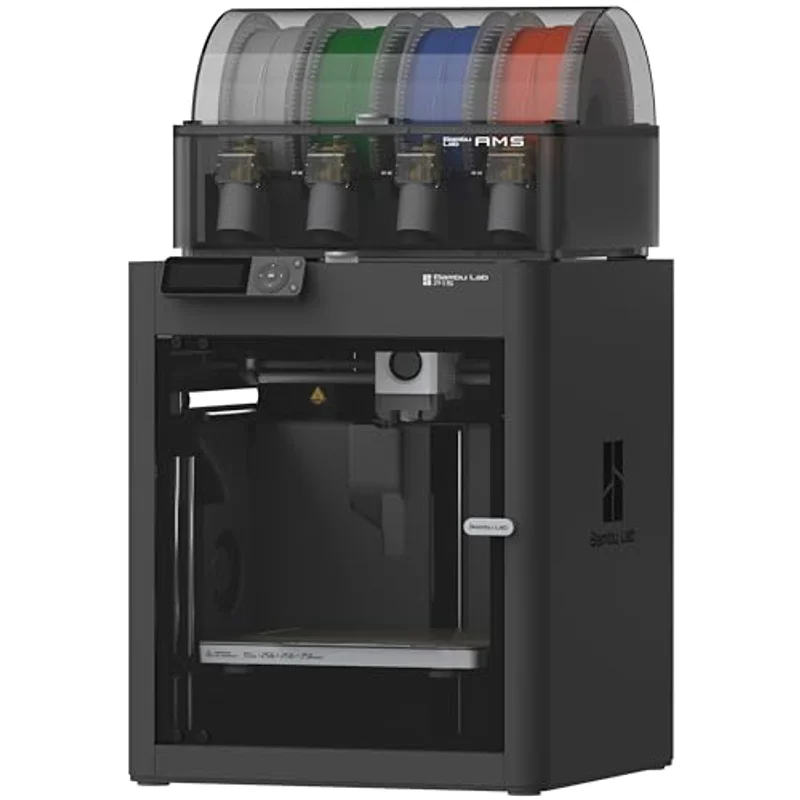
    Premium enclosed 3D printer for serious hobbyists. Carbon-filtered enclosure for safer ABS/ASA printing, 500mm/s speeds, whisper-quiet operation. The printer for teens and adults ready to go pro.

    Key Specifications

    Build Volume
    256 x 256 x 256mm
    Max Speed
    500mm/s
    Enclosure
    Fully Enclosed with Carbon Filter
    Multi-Color
    AMS Compatible (4 colors)
    ✓ Pros
    • Professional-grade results
    • Fully enclosed chamber
    • HEPA + carbon air filtration
    • Handles all filament types
    ! Considerations
    • Significant investment
    • May be overkill for beginners
    • Larger footprint
    🛡️ 3D Printer Safety for Families

    What every parent should know before buying

    VOC Emissions & Air Quality

    All 3D printers emit some level of volatile organic compounds (VOCs) and ultrafine particles during printing. Research from Georgia Tech and other institutions shows that PLA filament produces significantly fewer emissions than ABS, making it the recommended choice for home use, especially around children.

    For maximum safety, we recommend: enclosed printers with air filtration (like the P1S), good room ventilation, and using PLA rather than ABS filament. If you choose an open printer, consider adding a DIY enclosure with a carbon filter.

    Hot Surface Hazards

    Print nozzles reach 200-260°C (400-500°F) and heated beds can reach 60°C (140°F). Enclosed printers like the Toybox and P1S physically prevent accidental contact. For open printers, establish clear rules about not touching the printer while operating and for 10+ minutes after printing.

    Age Recommendations

    • Ages 6-10: Enclosed printer like Toybox with adult supervision for loading/unloading
    • Ages 11-14: Can operate enclosed or open printers with training and occasional supervision
    • Ages 15+: Ready for independent use with proper safety training

    Frequently Asked Questions

    Is 3D printing too complicated for kids?

    Not anymore! Modern printers like the Bambu Lab A1 Mini and Toybox feature one-click printing and auto-calibration. The hardest part used to be leveling the bed—now it's automatic. That said, there's still a learning curve with design software, but thousands of free pre-made designs are available.

    What filament should I use for kids?

    PLA (Polylactic Acid) is the safest and easiest option. It's made from corn starch, prints at lower temperatures, and produces minimal fumes. Avoid ABS for indoor family use—it requires higher temps and produces more significant emissions.

    How much does filament cost?

    A standard 1kg spool of PLA runs $15-25 and can produce dozens of small prints or several larger ones. Figure about $0.50-2.00 per average print. The Toybox uses proprietary spools at a premium (~$30/500g), but offers better safety integration.

    Do I need a computer?

    Most modern printers work with a smartphone app for basic operation. For custom designs, a computer running free software like Tinkercad or the included slicer software is helpful but not required for getting started.

    How long do prints take?

    Small toys and figures take 30 minutes to 2 hours. Larger projects can take 8-24 hours. The Bambu Lab printers are notably faster than budget options—a print that takes 3 hours on an Ender might take 1 hour on a P1S.

    What about noise levels?

    Budget printers can be quite loud (50-60 dB). The Bambu Lab printers are notably quieter (45 dB), and enclosed printers muffle sound further. Most families run longer prints overnight or while at school.

    The Bottom Line

    For most families, I recommend the Bambu Lab A1 Mini ($299) as the best overall choice. It's the sweet spot of quality, ease of use, and reasonable price. Your kid will be printing successfully within 30 minutes of unboxing.

    If safety is your top concern and you have younger children, the Toybox ($349) is worth the premium for its fully enclosed, kid-friendly design.

    On a tight budget? The Creality Ender 3 V3 SE ($199) delivers remarkable value—just plan to be more involved in the learning process alongside your child.

    Affiliate Disclosure: R3 earns a commission on qualifying purchases through our affiliate links. This doesn't affect our recommendations—we only feature products that meet our research standards. See our full disclosure.